Retrieval-Augmented Generation (RAG) has emerged as the go-to pattern for grounding large language models in enterprise knowledge bases. After building several production RAG systems on Azure, I want to share the architecture decisions, pitfalls, and patterns that actually work in practice — specifically when SharePoint Online is your primary knowledge store.
Most enterprises already have years of institutional knowledge locked inside SharePoint — policies, procedures, project documentation, wikis, and more. The challenge has always been discoverability. People simply don’t know where to look, or the search results are too noisy to be useful.
RAG changes this fundamentally. Instead of keyword search, users ask natural language questions and get synthesised answers drawn directly from authoritative documents. When you pair this with SharePoint as the data source, you unlock:
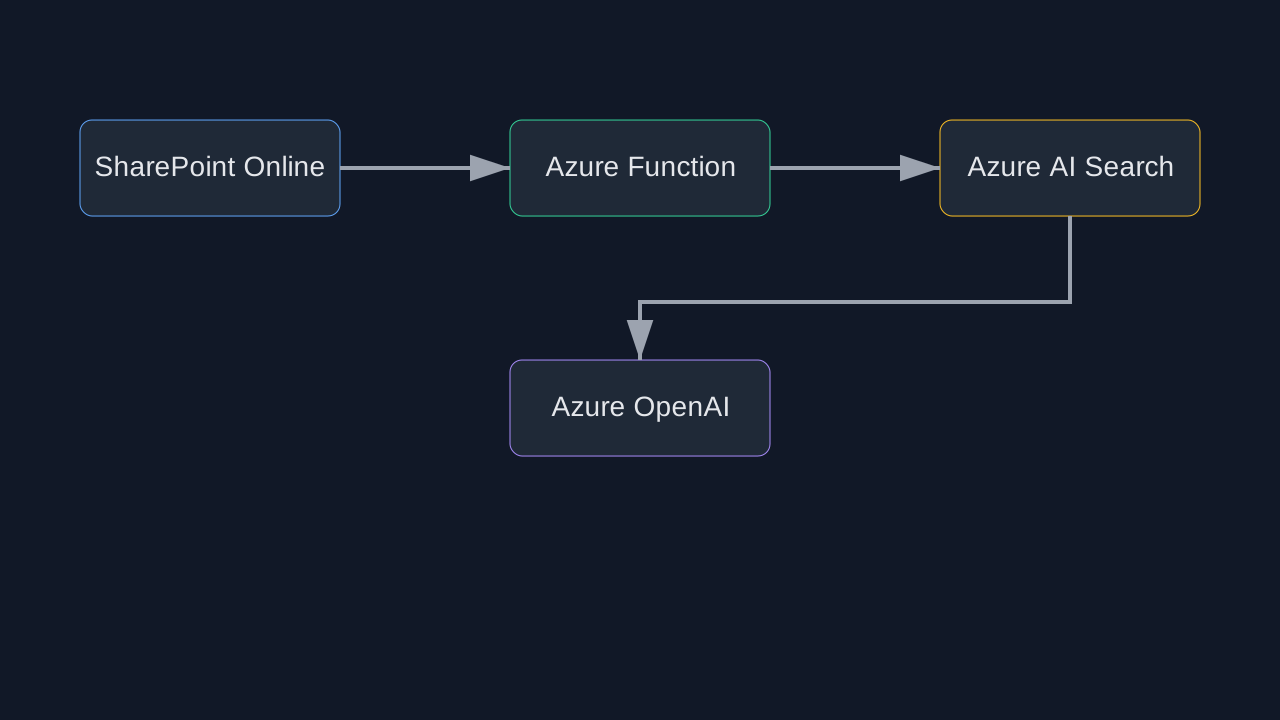
Here is the architecture I have deployed across multiple enterprise clients:
SharePoint Online
      │
      ▼
  MS Graph API  ←── delta queries for incremental sync
      │
      ▼
  Azure Function (Indexer)
      │
      ├── Chunk & clean text (overlap sliding window)
      ├── Generate embeddings (Azure OpenAI text-embedding-3-large)
      └── Upsert to Azure AI Search (vector + keyword hybrid index)
                          │
                          ▼
              Copilot Studio / Custom App
                          │
                          ├── User Query → Embedding
                          ├── Hybrid Search (vector + BM25)
                          ├── Rerank top-k results
                          └── Azure OpenAI GPT-4o (grounded prompt)
                                      │
                                      ▼
                              Cited Answer to User
Key components:
| Component | Purpose |
|---|---|
| MS Graph API | Delta sync of SharePoint files |
| Azure Function (Timer) | Incremental indexing pipeline |
| Azure AI Search | Hybrid vector + keyword retrieval |
| Azure OpenAI Embeddings | text-embedding-3-large |
| Azure OpenAI Chat | GPT-4o for answer generation |
| Semantic Kernel | Orchestration layer |
The indexer runs as an Azure Function on a timer trigger. It uses the Microsoft Graph API delta endpoint to fetch only files changed since the last run — this keeps costs low and indexing fast.
// Delta query to get changed SharePoint files
var deltaQuery = await _graphClient
    .Sites[siteId]
    .Drive.Root.Delta
    .GetAsDeltaGetResponseAsync(req =>
    {
        req.QueryParameters.Select = new[] { "id", "name", "lastModifiedDateTime", "file" };
    });
For each changed file I:
text-embedding-3-largeThis is where most RAG projects go wrong. Naive chunking by character count destroys semantic coherence. What I use:
def chunk_document(text: str, title: str, section: str) -> list[str]:
    """Semantic chunking with metadata prefix."""
    sentences = split_by_sentence(text)
    chunks = []
    current = f"Document: {title}\nSection: {section}\n\n"

    for sentence in sentences:
        if token_count(current + sentence) > MAX_CHUNK_TOKENS:
            chunks.append(current.strip())
            # Overlap: keep last sentence
            current = f"Document: {title}\nSection: {section}\n\n{sentence} "
        else:
            current += sentence + " "

    if current.strip():
        chunks.append(current.strip())

    return chunks
Pure vector search misses exact keyword matches. Pure keyword search misses semantic similarity. Hybrid search with Reciprocal Rank Fusion (RRF) gives the best of both worlds.
{
  "search": "leave policy maternity",
  "vectorQueries": [{
    "kind": "vector",
    "vector": [/* query embedding */],
    "fields": "contentVector",
    "k": 50
  }],
  "queryType": "semantic",
  "semanticConfiguration": "my-semantic-config",
  "select": "title, content, sourceUrl, permissions",
  "top": 5
}
The semanticConfiguration enables Azure AI Search’s built-in re-ranking model, which re-scores the top 50 results using a cross-encoder. This two-stage retrieval (vector → rerank) consistently outperforms single-stage approaches.
This is critical in enterprise settings and often overlooked in tutorials. Users must only get answers based on content they are permitted to see. I handle this by:
var filter = $"permissions/any(p: p eq '{string.Join("' or p eq '", userGroups)}')";
This ensures the RAG system respects existing SharePoint governance — no re-implementation of access control needed.
The system prompt is critical. A few principles that work well:
You are an enterprise knowledge assistant. Answer questions based ONLY on the
provided context documents.

Rules:
- Always cite the source document name and URL for every fact you state
- If the context does not contain enough information, say so clearly
- Never make up information or use knowledge outside the provided context
- Respond in the same language as the user's question
Forcing citations reduces hallucination and builds user trust. When the answer references a specific SharePoint page, users can click through to the source — this is the enterprise trust signal that matters most.
After running these systems in production for several months:
text-embedding-3-large over ada-002 — better retrieval quality for approximately the same costRAG on SharePoint is one of the highest-ROI AI investments an enterprise can make. The knowledge is already there — it just needs to be made accessible. The architecture I have outlined is production-tested, permission-aware, and cost-efficient. The key differentiator is treating chunking, retrieval quality, and citation as first-class concerns rather than afterthoughts.
If you are building something similar or have questions about scaling this pattern, feel free to reach out — I am always happy to discuss enterprise AI architecture.